You may also have to factory reset the SPA2102 which requires a landline phone hooked up to it, no matter what.
Setting up:
- Step 0: make sure you reset the device (guide at the bottom of the page)
- First you need a VoIP service provider that let's you send and receive faxes, I use Twilio
- Second of all you need a basic FreePBX server configuration that allows a remote user to connect using pjsip
- Third you need to configure your SPA2102 something like this:
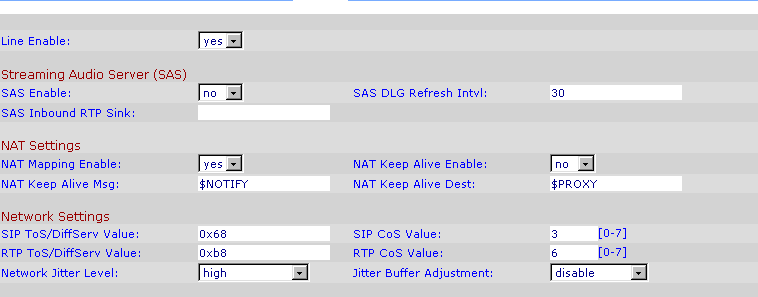
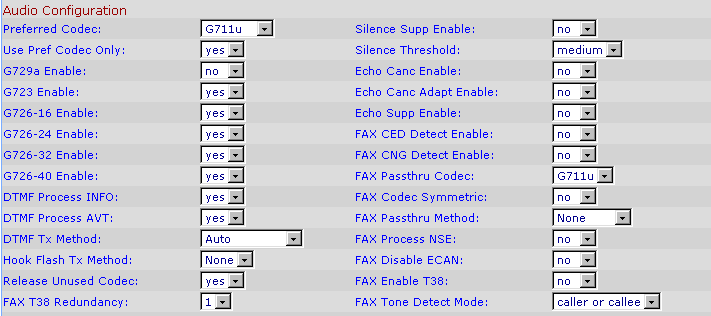
Once you've done these, click "Submit All Changes" and wait for the device to reboot.
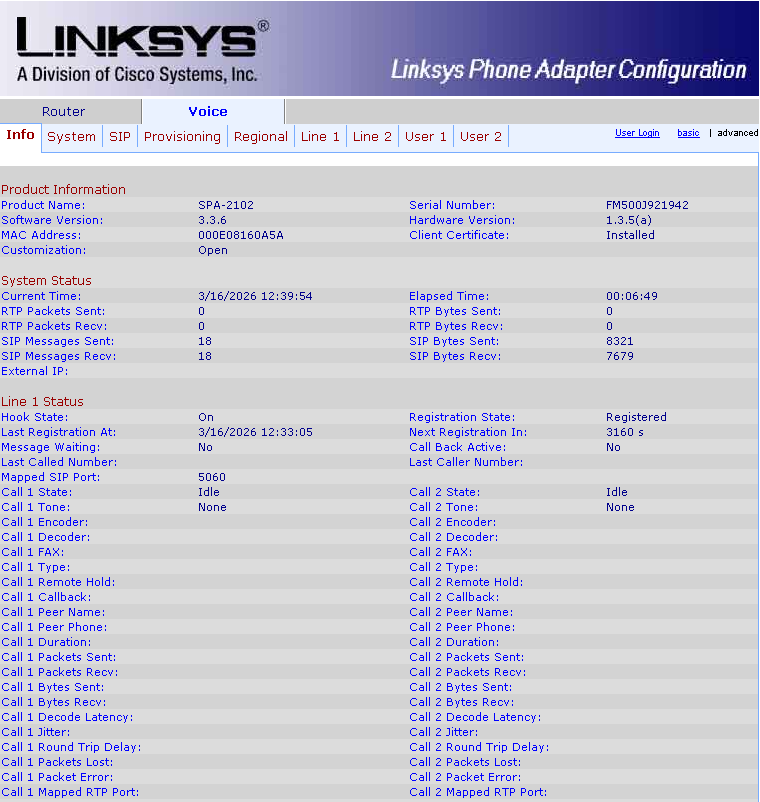
If you've done everything properly you should see something like this on the Info page under Voice:
And if you try to connect you should be able to see and access your favorite BBS (which as I'm finding out Hyper Terminal is a terrible software to use for):
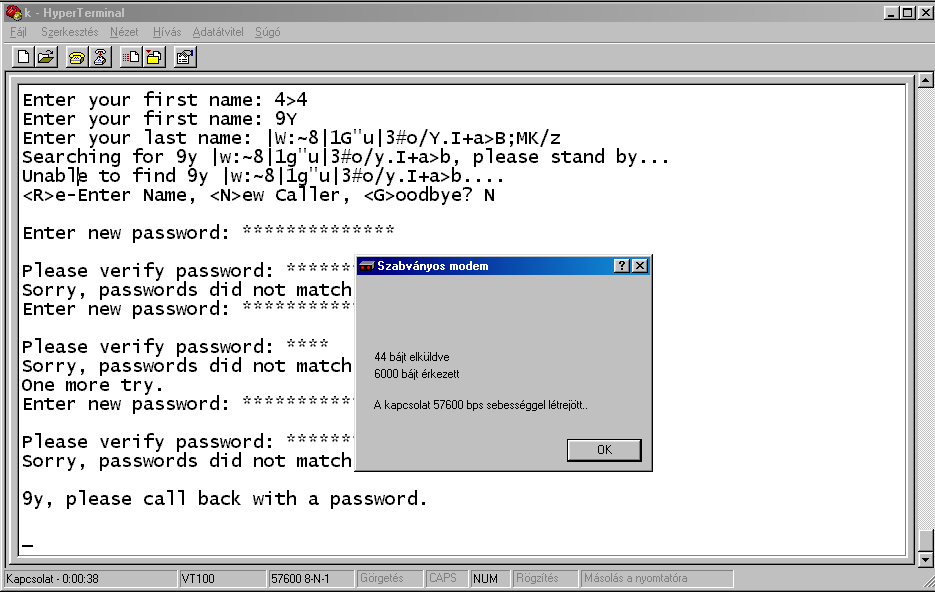
Or if you're truly lucky you could even browse the internet through VoIP (but what's the point of that?).
Just to recap and let Google, Bing and whatnot find the relevant information you're looking for:
Under "Network Settings" select the following options:
- Network Jitter Level: high (this will need adjustment based on your network conditions)
- Jitter Buffer Adjustment: disable
Under "Audio Configuration" select the following options:
- Preferred Codec: G711u
- Use Pref Codec Only: Yes
- G729a Enable: no
- Release Unused Codec: yes
- Silence Supp Enable: no
- Echo Canc Enable: no
- Echo Canc Adapt Enable: no
- Echo Supp Enable: no
- FAX CED Detect Enable: no
- FAX CNG Detect Enable: no
- FAX Passthru Method: None
- FAX Process NSE: no
- FAX Enable T38: no
To reset a Linksys SPA2102 that has an administrative password do the following (at least on Software Version 3.3.6 and Hardware Version: 1.3.5(a)):
- disconnect your network cable from the "Internet" port
- dial **** on your landline phone hooked up to Phone 1
- dial 73738#
- press 1
If everything went well your device should restart and allow you to configure it at [http://192.168.0.1].
On the web admin interface click Admin Login then Advanced, navigate to Voice then Provisioning and set the following options to "no":
- Provision Enable
- Resync On Reset
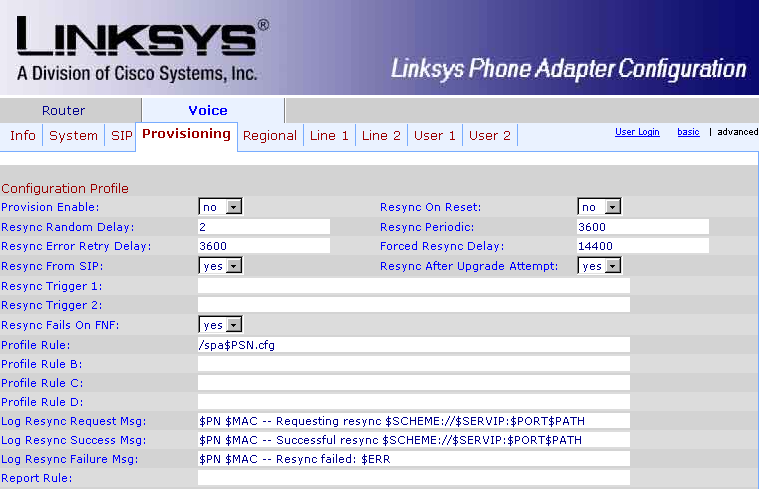
If you've set everything up the same way as I did press "Submit All Changes" and let the device save it's configuration.
Now you can hook it up to the internet and you should be able to proceed with setting up the actual SIP connection.
Happy dialing!